CacheFly Advanced Analytics

Search the edge requests your origin logs never see.

Query CacheFly HITs, MISSes, errors, paths, POPs, client locations, and response times in near real time — without building a log pipeline or opening a support ticket.

Real-Time Log Search is enabled separately for eligible CacheFly accounts. Book a product walkthrough · See a sample search →
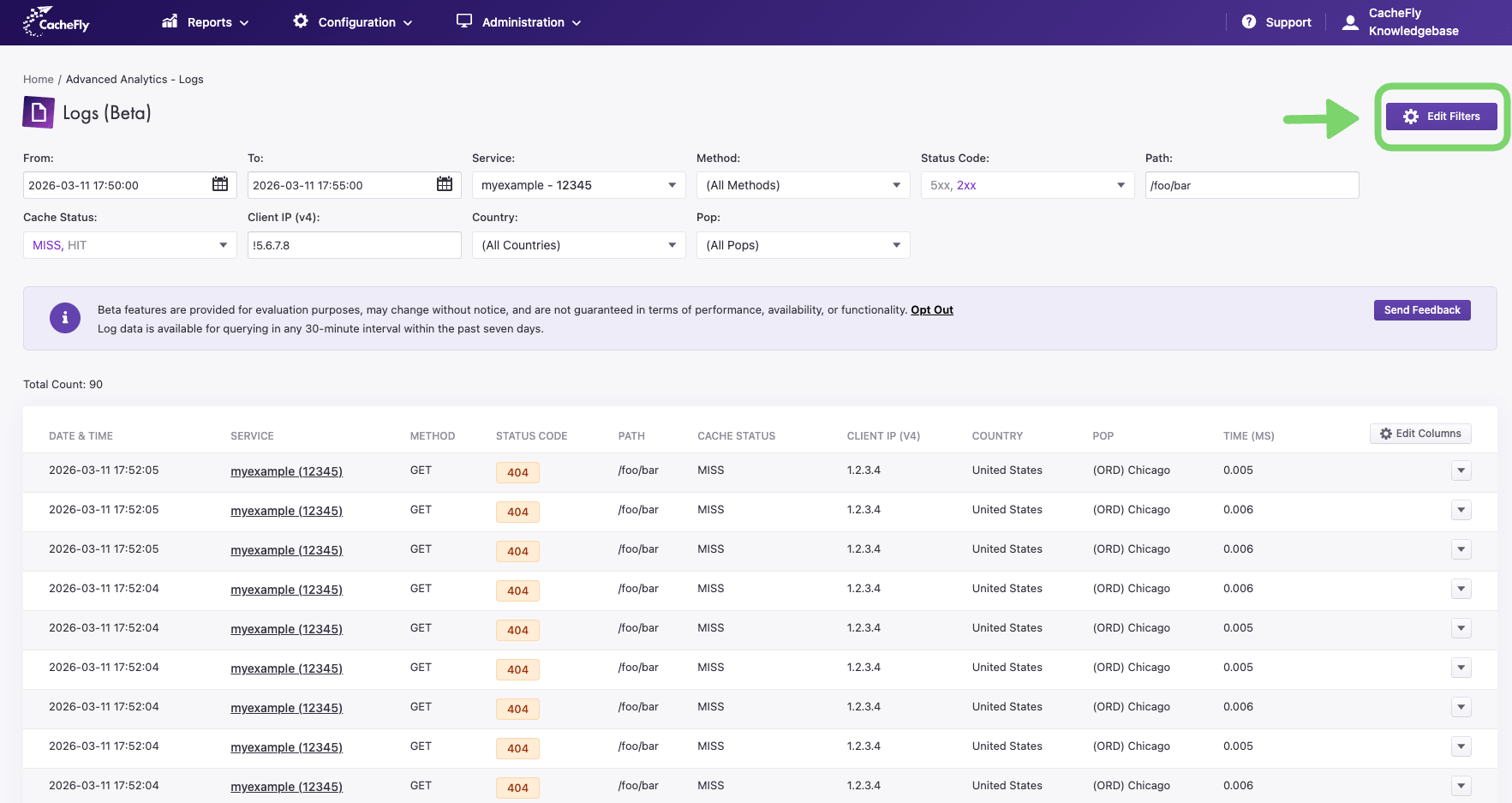
Set the time window and service, then use Edit Filters to narrow the matching edge requests.

Real-Time Log Search is a CacheFly Advanced Analytics feature that lets you query your CDN edge delivery logs in near real time, directly in the CacheFly portal. It records every edge request — cache HIT or MISS — giving you the complete edge delivery picture that origin logs can’t.

Origin logs only show requests that reach your origin. But most CDN traffic is served from cache, so those logs leave your team half-blind. Real-Time Log Search records the cache HITs too — so you can isolate a problem request in seconds and cut down on support escalations.

What you can do with it

Built for teams that need faster incident response, direct edge visibility, and fewer support escalations.

1

Find root cause faster

Filter by status, path, POP, cache status, IP, country, and response time to isolate problem requests in seconds.

2

Validate changes safely

Confirm cache rules, routing, and traffic behavior during a staged or canary rollout — or verify a fix immediately after deployment.

3

Move from alert to evidence

Open matching logs straight from Advanced Alerting with the alert window already applied — no ticket, no log pipeline.

How it works

Everything happens inside the CacheFly portal under Advanced Analytics — nothing to install.

1

Set your window

Choose a start and end time, then pick a service. Log data is queryable in any 30-minute interval within the past seven days.

2

Narrow the query

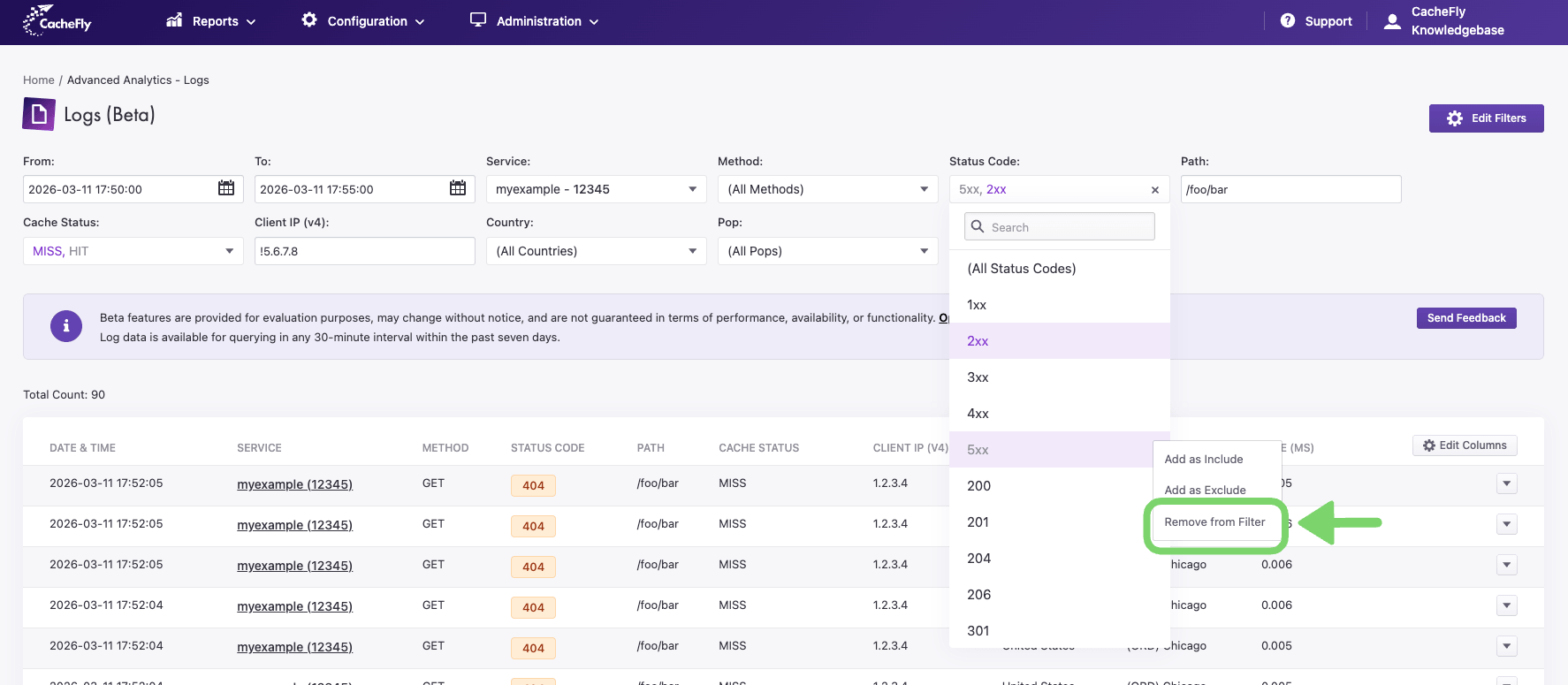
Add filters to include or exclude exactly what you’re looking for. Use a leading ! on any text filter to exclude a match.

3

Read the evidence

See matching requests line by line — date, service, method, status, path, cache result, client IP, country, POP, and response time.

At a glance

The essentials, in plain terms.

Where it runs

In the CacheFly portal, under Advanced Analytics → Logs. Nothing to install.

Data window

Any 30-minute interval within the past 7 days.

Coverage

Every edge request — cache HIT and MISS — not just origin traffic.

Setup

No log pipeline, agent, or export job required.

Filters

Service, method, status, path, cache status, IP, country, POP, response time, hostname, URI, Content-Type, and more.

Availability

Add-on for eligible CacheFly customers. 30-day free trial.

Works with the tools you already have. Real-Time Log Search lives alongside your included Advanced Alerting, Prometheus, and Grafana. The tightest link is alerting: when an alert fires, open the matching logs with the alert time window already applied — moving from alert to evidence without a ticket or a log pipeline.

Frequently asked questions

Real-Time Log Search is a CacheFly Advanced Analytics feature that lets you query your CDN edge delivery logs in near real time, right in the CacheFly portal. It captures every edge request — cache HIT or MISS — so your team can find the cause of an issue fast, without exports, pipelines, or support tickets.

Origin logs only show requests that reach your origin server. Because most CDN traffic is served from cache, origin logs miss the full edge delivery picture. Real-Time Log Search captures every edge request — both cache HITs and MISSes — giving you complete visibility into how content is delivered at the edge.

You can filter by service, HTTP method, status code, path, cache status (HIT/MISS), client IP (v4 and v6), country, POP, response time, hostname, URI and query parameters, and Content-Type. Text filters support exclusion by prepending an exclamation point (!).

Log data is available for querying in any 30-minute interval within the past seven days.

You can create a free CacheFly account to get started. Real-Time Log Search is an optional Advanced Analytics add-on and is enabled separately for eligible accounts.

Real-Time Log Search is available as a monthly add-on and includes a 30-day free trial. Contact your CacheFly account team at sales@cachefly.com for current pricing.

Yes. When an alert fires in CacheFly Advanced Alerting, you can open the matching logs directly with the alert time window already applied — moving from alert to evidence without a ticket or log pipeline. CacheFly also includes Prometheus and Grafana integrations.

Ready to see every edge request?

Choose the path that fits your team and start troubleshooting with the full edge delivery picture.

Real-Time Log Search is an optional add-on for eligible CacheFly accounts. Book a product walkthrough.